Generative AI Crash Course
Learn how to turn generative AI from something you’ve experimented with into a practical tool you can use confidently and effectively in your everyday work.

Put Generative AI to Work
You've heard what generative AI can do. Maybe you've even experimented with ChatGPT, Copilot, Gemini, or another AI tool. But knowing AI is changing how people work doesn't make it obvious how to use it effectively in your own work. MoreSteam's Generative AI Crash Course gives working professionals a practical place to start.
You'll explore where generative AI can help with everyday work, from brainstorming or summarizing content, to organizing your thinking or tackling tasks more efficiently. You'll learn the CRAFT prompting framework for giving AI clearer direction, then practice refining prompts and iterating on responses to get better results.
Just as importantly, you'll learn how to evaluate what AI gives you. Generative AI can produce useful ideas and polished answers, but it can also be incomplete, biased, misleading, or simply wrong. You'll practice judging when to trust it, when to question it, and when to verify it elsewhere.
Quick Facts
- Course Type
- Online
- Time to Complete
- 2-3 hours
- Experience Level
- Beginner
- Prerequisites
- None
- Languages
- English
Generative AI Crash Course Curriculum
Course Outline
2-3 Hrs
- Explain what generative AI is, how it generates responses, and how it differs from familiar technologies such as search engines and traditional automation.
- Recognize useful applications for generative AI at work, including brainstorming, drafting, summarizing, analyzing, organizing, revising, and getting guidance.
- Identify opportunities in your own work where generative AI could save time, reduce friction, or help you think through a task.
- Write more effective prompts using the CRAFT framework to provide context, establish a role, define your aim, specify a format, and set the appropriate tone or constraints.
- Improve AI-generated results by adding context, refining your instructions, asking follow-up questions, and iterating on the response.
- Evaluate AI-generated output for accuracy, relevance, completeness, and appropriate use.
- Use generative AI responsibly by protecting sensitive information, accounting for potential bias and limitations, and following your organization's policies.

Included in this course
- Interactive exercises that let you practice with generative AI as you learn
- Hands-on prompting activities using Hexie, MoreSteam's built-in AI tutor, or any preferred generative AI tool
- Realistic workplace examples that show how generative AI can support everyday tasks
- A practical CRAFT framework you can use to write stronger prompts at work
- AI-powered feedback to help you identify useful opportunities for generative AI in your own work
- A final practice scenario and skill check to apply and confirm what you've learned
Meet Hexie: Your Personalized AI Tutor
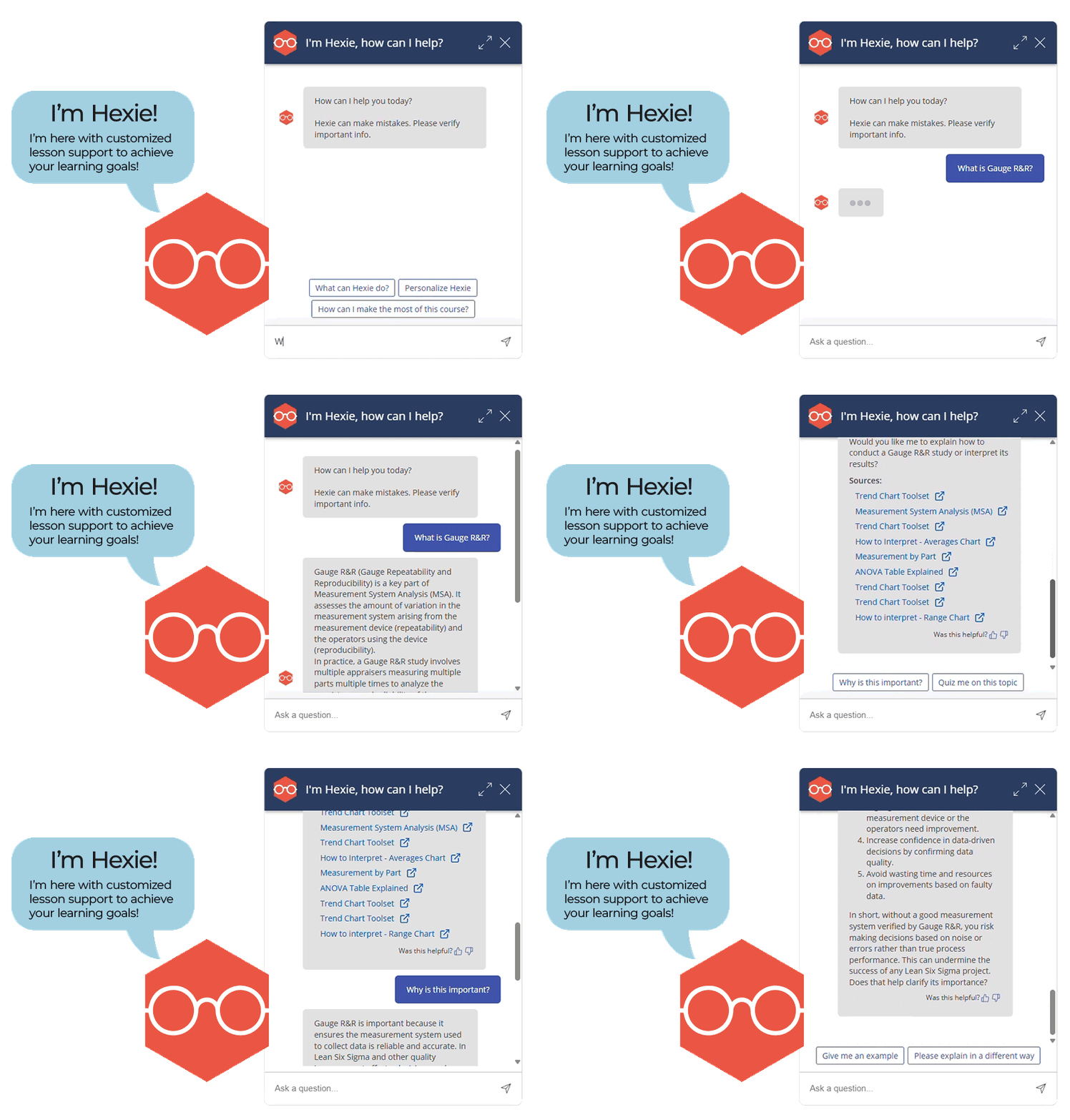
Introducing Hexie, your Personalized AI Tutor, designed to guide you through your eLearning experience. Hexie provides real-time coaching, tailored feedback, and insights to help you better understand course material and achieve your learning goals.
How Hexie Can Help:
- Offers personalized coaching on any topic, with explanations tailored to your learning style, industry, or focus area.
- Explanations of how to use process improvement tools, including how to conduct statistical analyses and interpret results in practical terms.
- Provides feedback on project charters, data collection plans, problem-solving approaches, change management initiatives, and more.
- Generates additional practice questions to reinforce learning and help with mastery of key concepts.
What Hexie Doesn't Do:
- Access, learn from, or use your personal information.
- Replace human coaching in organization-specific contexts.
- Provide answers to skill check or exam questions.
Get Started Today
What's Included
- 2-3 Hours of Training
- Hands-on exercises using Hexie or another generative AI tool
- AI-powered personalized feedback on opportunities to use generative AI in your own work
- Practice scenario and skill check to reinforce what you've learned
- Built-in tools for taking notes, highlighting material, and tracking your progress
- Technical and instructional support when you need help
Frequently Asked Questions
Still have questions? We're here to help.
614-602-8190
No Robots. Only humans.
support@moresteam.com
You'll still get a human here, too.